Camera Unman
An iPhone camera that performs your programmed zoom moves hands-free.
- Swift
- SwiftUI
- AVFoundation
- iOS
- XcodeGen
- COMMITS
- 34
- FIRST
- Sep 2026
- LAST
- Oct 2026
- ACTIVE MONTHS
- 2
Camera-unman
Program the camera. Press record. Don't touch the phone.
Camera-unman is an iPhone camera app for people who film themselves. You show the camera what to do once — zoom in here, pull focus there, brighten at the end — and it repeats those moves on its own, on time, every take. No AI and no tracking: the camera does exactly what you rehearsed.

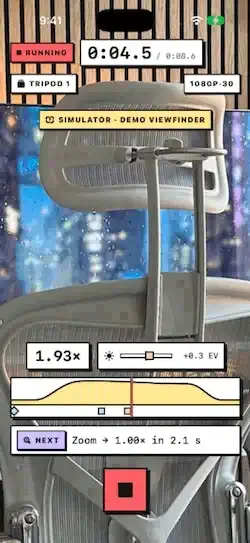
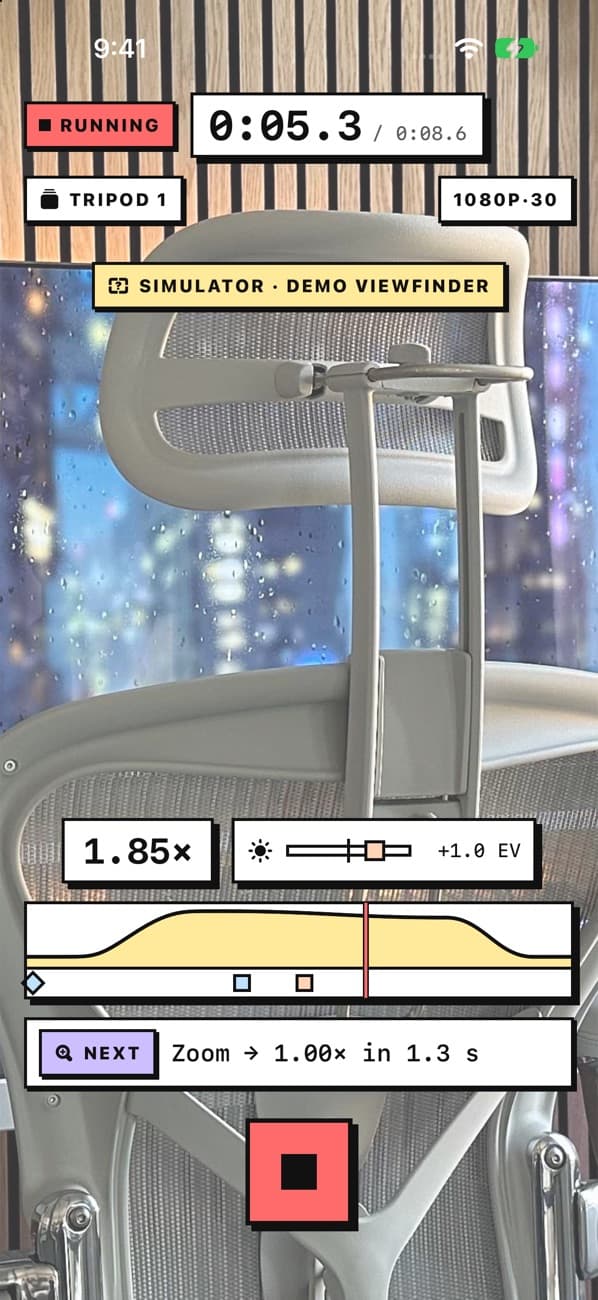
A run: the countdown, then the camera repeats the rehearsed zoom, focus, and brightness moves on its own and lands on Review. (Full-quality video)
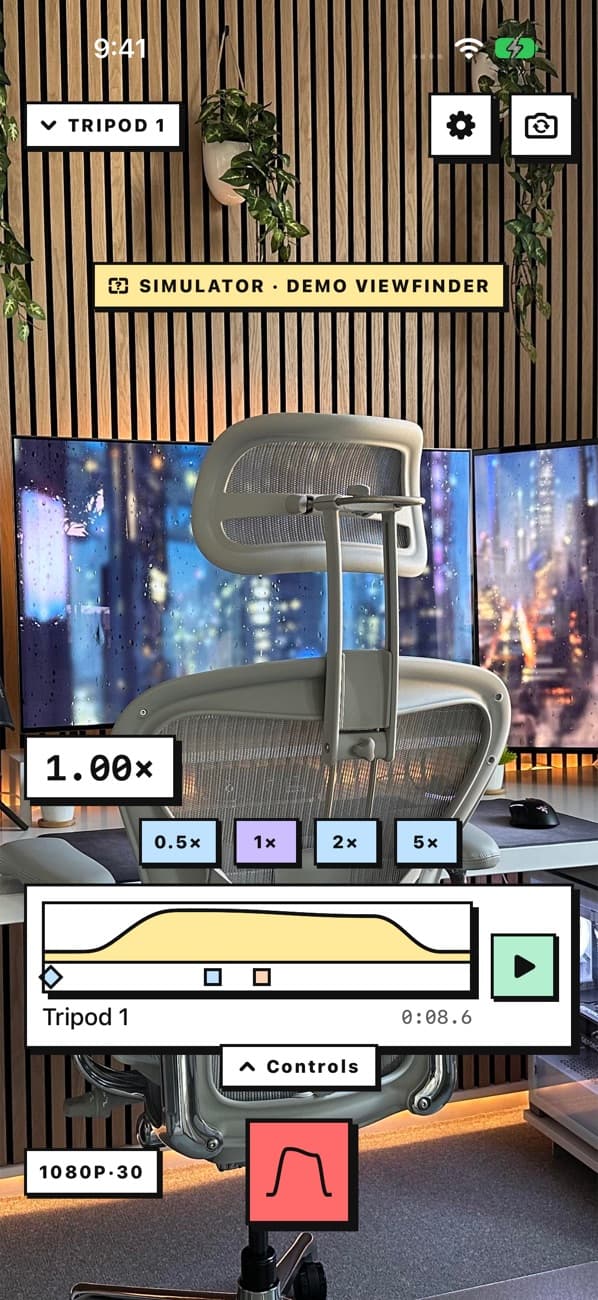
How it works
- Rehearse. Record a rehearsal and work the camera by hand: pinch to zoom, tap to focus, drag for brightness. The app logs every change with its time.
- Tune it. Open the rehearsal and fix what your hands got wrong: smooth a jerky zoom with a curve, move a focus pull half a second later, add an autofocus where you step forward.
- Run it. Put the phone on a tripod and press record. Three beeps, then the camera records and performs your moves by itself while you're in front of it.
Features
Rehearse by hand
- Zoom, focus (tap or manual), and brightness are captured as you do them.
- Works across the rear lenses and the front camera, at the resolution and frame rate you pick.
- Manual controls (focus, ISO, shutter, exposure and white-balance locks) sit in a drawer you swipe up, so the viewfinder stays clean.
Run hands-free
- A three-beep countdown gives you time to get into place.
- During a run the screen shows the time, the zoom, a cursor moving along your rehearsal, and what's coming next. Only Stop responds, so a bump can't ruin the take.
- Preview plays a rehearsal on the viewfinder without recording, to check the framing first.
- After the take: watch it, save it to Photos, or run it again.
Edit the rehearsal
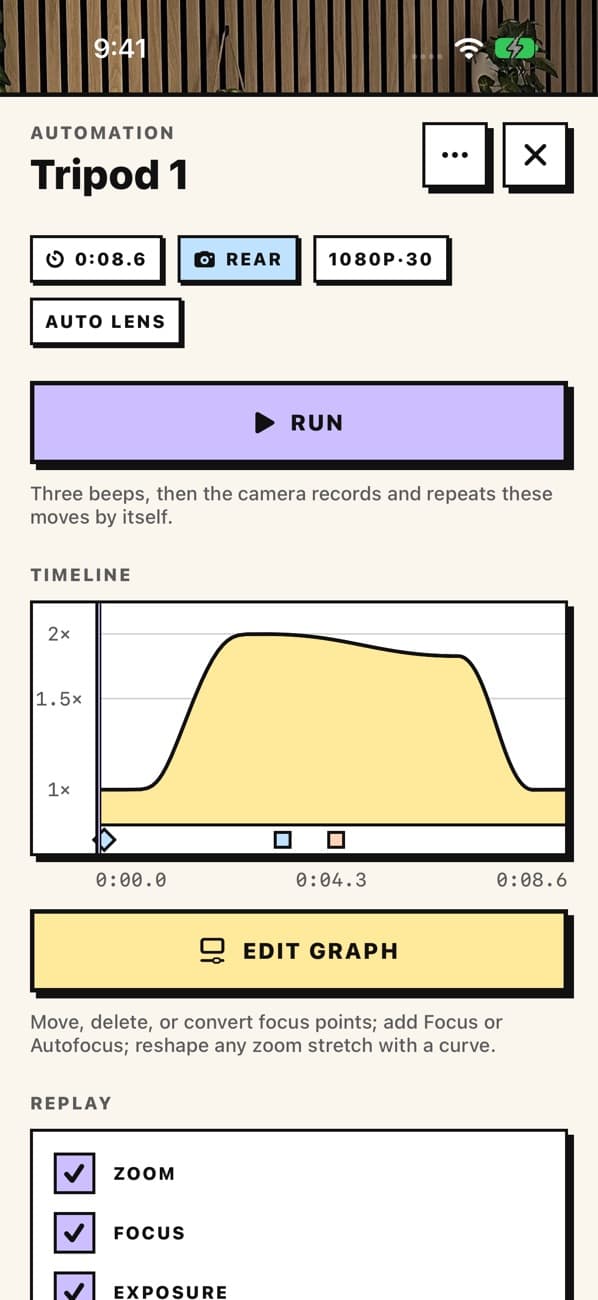
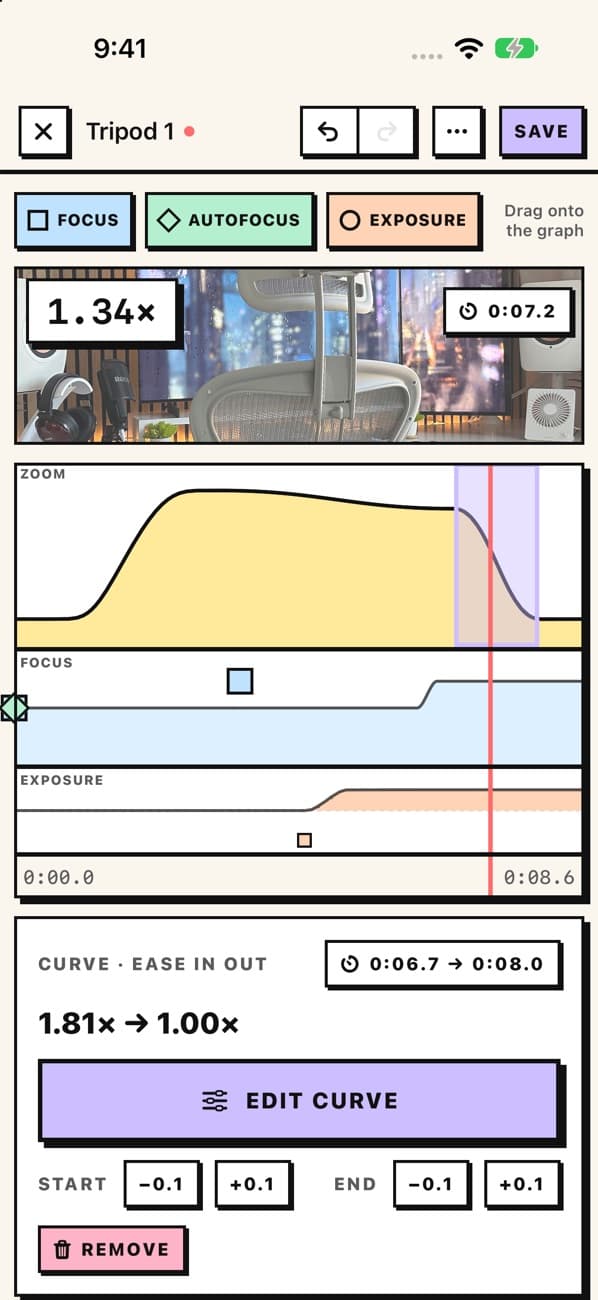
- Tap the loaded rehearsal to open it, then Edit graph.
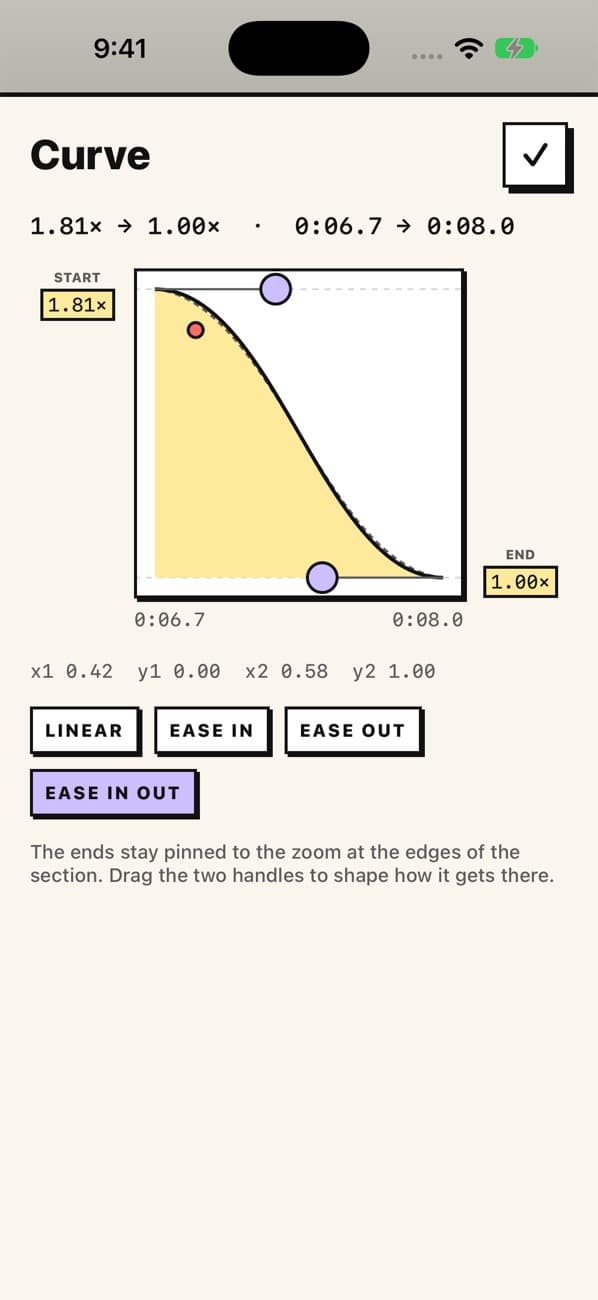
- Zoom curves: select any stretch of the zoom and reshape it with a curve (Linear, Ease In, Ease Out, Ease In Out, or drag the handles). The zoom at each end of the stretch stays put.
- Focus points: drag to move one in time, change how near or far it focuses, or turn it into an autofocus.
- Drag in new points from the tray: Focus (an exact distance), Autofocus (the camera focuses on a spot you aim), and Exposure (a brightness level from that moment).
- Hold a point to remove it. Undo and redo cover the whole editing session; Save makes it final.
Your rehearsals
- A dropdown at the top lists every rehearsal with its waveform and length. Tap one to load it.
- With a rehearsal loaded, Record runs it. Swipe the rehearsal away and Record makes a new one.
- Rename, duplicate, and delete; choose what a run repeats (zoom, focus, exposure, white balance), exact or adaptive replay, and a small timing offset.
Coming later
- Timeline mode: build zoom moves from scratch on a timeline, without rehearsing first.
Status
In development and tested on the developer's own iPhone; not on the App Store. The screenshots above are from the iOS Simulator, which shows a stand-in photo where the camera would be.
Building it yourself: see the developer guide.
HEAD · 85691d532 FOLDERS · 124 FILES
- .claudeadd rerun skillSep 26
- CameraUnmanadd demo video recording4h ago
- CameraUnmanTestsrework graph editor4h ago
- docsadd readme video3h ago
- Packagesfix photos save crash4h ago
- .gitignorephase 0: foundation (manual camera)Sep 26
- DEV_DOC.mdrewrite readme4h ago
- project.ymladd rehearse flowSep 26
- README.mdadd readme video3h ago
Showing the top two levels. Files aren't browsable: this is a portfolio, not a mirror.
34 COMMITS · 2 AUTHORS
MON, OCT 5 20266 COMMITS
- 85691d5add readme videoEY3h ago3h ago
- 1b3ad6erewrite readmeEY4h ago4h ago
- 2d69abbfix photos save crashEY4h ago4h ago
- 377bfeaadd demo video recordingEY4h ago4h ago
- 831be06add exposure pointsEY4h ago4h ago
- ff09dfarework graph editorEY4h ago4h ago
SAT, SEP 26 202628 COMMITS
- cd55e9aP3CCamera home redesign: load-or-new, preview, dropdown, controls drawerClaudeSep 26Sep 26
- 5dc95b3add graph editing engineEYSep 26Sep 26
- 62ae278add editing and redesign docsEYSep 26Sep 26
- 803d638add graph editorEYSep 26Sep 26
- 0d97003add manual exposure captureEYSep 26Sep 26
- 233419dadd replay options and libraryEYSep 26Sep 26
- 5a327b5add replay options engineEYSep 26Sep 26
- ca0665dadd phase 3 docsEYSep 26Sep 26
- 0a11d9badd refocus and lens engineEYSep 26Sep 26
- 52492bafix camera restart loopEYSep 26Sep 26
- 6ef923dadd lens and countdown settingsEYSep 26Sep 26
- 84d0558update docsEYSep 26Sep 26
- aa73b21add lock tips and exposure meterEYSep 26Sep 26
- ba70039add delete and refocus editingEYSep 26Sep 26
- 0557f60add run driverEYSep 26Sep 26
- 1a89e1aadd landscape supportEYSep 26Sep 26
- 6ae5d4cadd phase 2 docsEYSep 26Sep 26
- c3689b8add run engineEYSep 26Sep 26
- f342eacadd run flowEYSep 26Sep 26
- 2269b4eadd phase 1 docsEYSep 26Sep 26
- b1c8e6aadd rehearse flowEYSep 26Sep 26
- ee52688add rehearsal loggerEYSep 26Sep 26
- 1d17f94add rehearsal engineEYSep 26Sep 26
- 278011dadd drag exposureEYSep 26Sep 26
- d77abecadd rerun skillEYSep 26Sep 26
- f9bafa2restyle app to neo-brutalist pastel design systemEYSep 26Sep 26
- c521a0eDOCSswitch design system to neo-brutalist pastelEYSep 26Sep 26
- b14499dphase 0: foundation (manual camera)EYSep 26Sep 26
That's every commit.